AI Room Planner: Home Design
Hangover StudiosHouse & Home
4.313.00 Reviews
- Version
- 18.2.1
- Installs
- 100.00K
- Age Rating
- Everyone
Screenshots
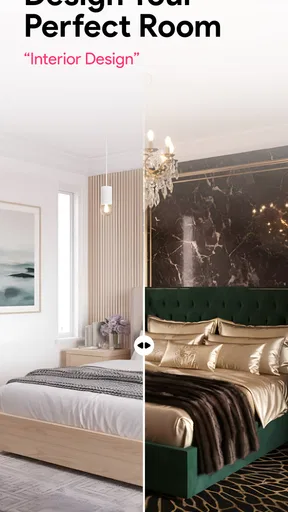
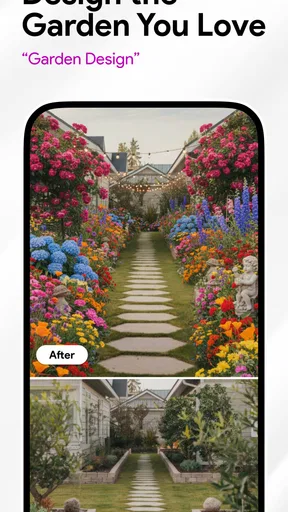
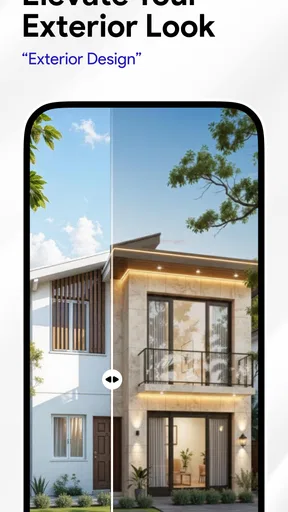
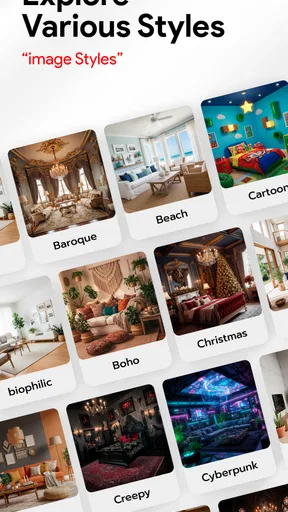
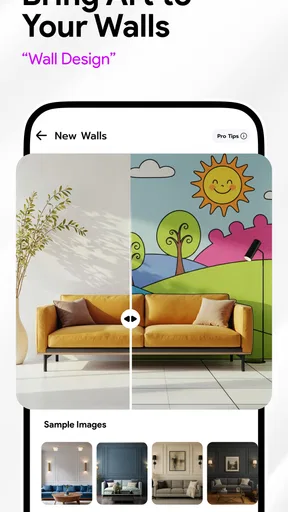
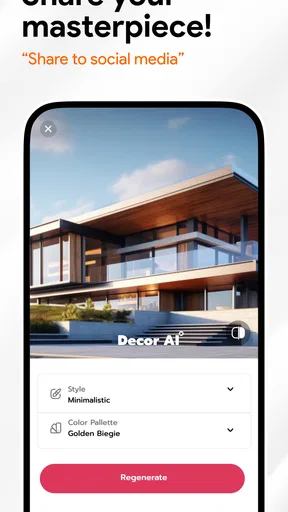

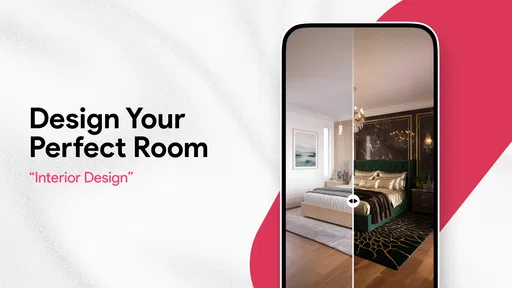
Our Review of AI Room Planner: Home Design
 Analysis by Appyee
I approached AI Room Planner: Home Design as a practical decorating companion rather than a replacement for an architect, contractor, or furniture showroom. The idea is simple: use artificial intelligence to rethink rooms, outdoor areas, and gardens, then explore visual directions before committing time or money. In my experience, that makes it most useful during the uncertain stage when you know a room feels wrong but cannot yet explain what should change.
It is a free House & Home app from Hangover Studios, aimed at everyone and available for devices running Android 8.0 or later. The app has passed the early-experiment stage with over 100 thousand installs and an average rating of 4.3 from around 136 ratings. Those figures suggest a healthy level of interest, although I would still treat the visual results as ideas to evaluate rather than guaranteed design plans.
How I use it from an empty room to a workable idea
I begin with one room and one decision I need to make, such as whether a spare room should feel more welcoming or work harder as a study. Keeping the goal narrow helps me judge each visual idea instead of being distracted by a striking detail. Once I have a direction worth exploring, I move on to the checks that make a fresh attempt more useful.
Start with a clean baseline
My preferred workflow begins with one space and one clear goal. Instead of asking the app to solve an entire home at once, I focus on a single question: should this room feel calmer, brighter, warmer, more spacious, or more practical? That narrow starting point makes the generated alternatives easier to compare. If I change the furniture, color scheme, lighting mood, and style all at once, it becomes difficult to understand which decision actually improved the room.
I would first capture the room from a reasonably straight angle, keeping as much of the floor, walls, and major furniture as possible in view. A cluttered or heavily cropped image gives the design process less useful context. I also avoid judging a concept by one attractive detail. A beautiful chair or dramatic wall color is not enough if the overall arrangement would block a doorway or leave no comfortable path through the room.
The same approach works for an exterior or garden, but the priorities change. For a living room, I look at circulation, seating, storage, and visual balance. For a garden, I pay more attention to open space, planting zones, boundaries, and the relationship between hard surfaces and greenery. The app can help me imagine a direction, but I still need to check whether that direction suits the actual shape, light, weather, and maintenance demands of the property.
Use the first result as a conversation starter
The first concept is rarely the final answer I would use. Its real value is that it gives me something concrete to react to. I can notice that I prefer lighter wood, fewer decorative objects, a different seating arrangement, or a less crowded background. That reaction is often more useful than trying to describe my taste from scratch.
A helpful habit is to save or compare only the alternatives that answer the same design question. For example, I might compare several approaches to a small bedroom rather than mixing one bedroom concept with a kitchen, patio, and garden image. This keeps the comparison fair and prevents novelty from being mistaken for improvement.
I also keep practical reference points in mind while looking at the result. Existing windows, radiators, doors, outlets, and built-in storage matter more than a fashionable visual style. If an imagined sofa sits across a doorway or a cabinet covers a window, I treat that part as inspiration only. The strongest use of the app is not copying every object; it is identifying a combination of colors, materials, and atmosphere that can be adapted to the real space.
Settings and choices worth checking before repeating a design
When an app offers several ways to describe a desired room, I prefer specific, restrained instructions over a long list of trendy terms. “Warm reading corner with light wood, soft neutral walls, and clear floor space” gives me a more useful target than stacking every popular style name together. A focused brief also makes it easier to understand why two results differ.
I check the selected room type, the intended style, and the mood before running another version. These choices are not cosmetic. A request for a minimalist office has different priorities from a request for a relaxed family room, even if both use pale colors. I also decide whether I am exploring a broad atmosphere or trying to preserve a particular existing feature. That distinction prevents me from expecting an exploratory concept to behave like a precise renovation mock-up.
For exterior images, I am especially careful about the starting photograph. Perspective can make a small yard appear larger, while strong shadows can change how I perceive color and planting density. I try to compare concepts from a similar viewpoint instead of treating every image as a direct before-and-after measurement. This is one of the less obvious trade-offs: a visually dramatic result may be less useful than a modest one that keeps the original proportions easier to read.
It is also worth checking the purchase flow before building a regular habit around the app. The download is free, but in-app purchases range from $5.99 to $399.93 per item. I would not assume that every creative option or repeated use is covered by the initial download. A sensible approach is to explore the free experience first, decide whether the results genuinely help with a real project, and only then consider spending. That matters particularly for casual users who may open the app once for inspiration and never return.
Faster patterns for people who use it repeatedly
Experienced use is less about generating endless images and more about making each attempt answer a different question. I might begin with layout, then examine color, then test the level of decoration. If the first attempt already has a useful layout, I avoid changing it unnecessarily while exploring finishes. This creates a repeatable sequence instead of a collection of unrelated surprises.
Another efficient pattern is to separate “must keep” elements from “open to change” elements before starting. A fireplace, dining table, favorite cabinet, or unusual window may define the room. If I do not identify that constraint early, I can become attached to a concept that only works by removing the feature I actually wanted to preserve. The app is more helpful when I use it to work around real constraints rather than pretending they do not exist.
I find it useful to create a small decision record outside the app: which version had the best lighting, which had the most practical circulation, and which materials seemed realistic for the budget. This is not a built-in feature claim; it is a simple personal method that keeps visual excitement from taking over. A design that looks impressive for a moment may be a poor choice if it requires fragile finishes, excessive maintenance, or furniture that does not suit the household.
For a realistic everyday scenario, imagine someone preparing a spare bedroom before a relative moves in. I would photograph the room, ask for a calm and functional direction, and use the first concepts to decide whether the space needs a desk, a reading chair, better storage, or simply less visual clutter. I would then compare a few focused variations and take the preferred color and furniture ideas to a retailer or decorator. The app would shorten the conversation because I could show an atmosphere instead of relying on vague descriptions.
Where the visual approach reaches its limits
The main limitation is that an attractive image is not the same as a buildable plan. I would not rely on the app for exact dimensions, structural decisions, electrical placement, plumbing, load-bearing changes, product availability, or a reliable cost estimate. Those questions require measurements and, when appropriate, advice from qualified professionals. The app can suggest that a wall would look better in a certain color; it cannot make the wall suitable for a particular finish.
Furniture scale is another area where I remain cautious. An AI-generated room may make a large sofa, pendant light, or storage unit look perfectly proportioned even when the real object would overwhelm the space. Before buying anything, I measure the room and mark the proposed footprint on the floor with tape or temporary objects. That extra step is especially important in narrow rooms, small apartments, and shared spaces where a few lost centimeters can change daily comfort.
Material and lighting interpretation can also be optimistic. A surface may appear soft, glossy, natural, or richly textured on screen without telling me how it behaves under real daylight, artificial lighting, humidity, pets, children, or frequent cleaning. I use the generated image to choose samples to investigate, not to skip the sampling stage. Viewing paint, flooring, fabric, and tile in the actual room remains more dependable.
Privacy and personal comfort should influence how I use any image-based design tool. I avoid including documents, faces, valuables, or identifying details in room photographs. Even when a picture seems harmless, a clean, limited image is better for design experimentation than a full record of private life. I also remember that an exterior or garden image can reveal more about a property than intended, so I frame it around the design area rather than the entire home.
Users who want precise floor plans, technical drawings, detailed product catalogs, or contractor-ready specifications should choose a dedicated planning or professional design tool instead. Someone who only wants a fixed catalog of purchasable furniture may also prefer a retailer’s room planner, because the connection between inspiration and available products is more direct there. This app is strongest in the earlier creative phase, when the challenge is deciding what kind of space feels right.
Who will enjoy it, and who should skip it
I would recommend it to renters planning a refresh, homeowners comparing decorating directions, students arranging a first apartment, and anyone who struggles to visualize changes from a verbal description. It is also useful when several people in a household disagree about style. Showing a few visual directions can turn “I want something modern” into a more productive discussion about color, storage, openness, and comfort.
I would be more cautious recommending it to a person who expects a precise renovation simulator. If the project depends on accurate dimensions, exact products, compliance requirements, or a dependable budget, this should be one reference among several, not the central planning system. The same applies to users who dislike experimentation or who need a quick answer tied to a specific inventory. In those situations, manual measurements, a professional consultation, or a product-focused planner may be a better first choice.
The age rating is Everyone, which fits the straightforward home-design purpose. The current version is 17.1.0, so I would keep the app updated when possible, particularly if an older device behaves inconsistently. Still, performance and output quality can vary with the quality of the source image and the complexity of the request. A clear photograph and a focused objective usually give me a better starting point than a rushed snapshot and an overloaded description.
My verdict after using it as a design aid
The best way to think about this app is as a visual thinking tool, not a construction authority. It helps me move from uncertainty to a shortlist of directions, especially when I am dealing with color, mood, furnishing style, or the general character of an interior, exterior, or garden. Its free entry point makes experimentation approachable, while the possible in-app charges mean I would test the workflow carefully before paying for extended use.
What makes it worthwhile is the habit built around it: start with one room, preserve important constraints, change one design question at a time, and verify every practical decision outside the generated image. That method produces more useful results than chasing the most dramatic concept. It also makes the app easier to compare with traditional alternatives. A mood board gives more control but takes longer to assemble; a retailer planner connects better to products but may limit creative range; a professional designer offers deeper judgement but costs more and involves a different process.
In my view, AI Room Planner: Home Design earns its place on a phone when you want fast visual possibilities and understand their boundaries. I would use it before shopping, before repainting, or before asking a professional for advice, then carry the strongest ideas into a more grounded planning stage. If you approach it that way, Hangover Studios’ app can make the first, hardest part of decorating feel much less abstract without pretending that an attractive rendering has solved the whole project.
Privacy and Permissions
See what permissions an app requests and how it handles your data.
- Phone
- read phone status and identity
- Photos/Media/Files
- read the contents of your USB storage, modify or delete the contents of your USB storage
- Storage
- read the contents of your USB storage, modify or delete the contents of your USB storage
- Camera
- take pictures and videos
- Device ID & call information
- read phone status and identity
- Other
- view network connections, full network access, control vibration, prevent device from sleeping, Google Play license check, read Google service configuration
Verdict
Strengths of AI Room Planner: Home Design
- Quickly generates multiple room design concepts from simple inputs.
- Useful for exploring different furniture layouts before making changes.
- Offers inspiration for color palettes, styles, and decorative details.
- Helps visualize ideas without needing professional interior design software.
- Convenient for testing concepts on a mobile device anywhere.
Limitations of AI Room Planner: Home Design
- Some generated designs may ignore room dimensions or existing structural limits.
- Furniture and decor suggestions may not be available in your local market.
- Results can look repetitive when using similar styles or prompts.
- Advanced features or unlimited generations may require a subscription.
- AI-rendered images may differ noticeably from the final real-world result.
Similar Picks in This Category
View All
Universal TV Remote Control
CodeMatics Media Solutions3.9

AlfredCamera Home Security app
Alfred Systems Inc.4.7

Planner 5D: AI Home Design
Planner 5D4.5

Universal Tv Remote-Cast to TV
One Music Player4.1

Zillow: Homes for Sale & Rent
Zillow Group4.8

99acres Buy/Rent/Sell Property
infoedge.com4.3
Frequently Asked Questions
What is AI Room Planner: Home Design?
AI Room Planner: Home Design is an interior-design app that uses artificial intelligence to help you visualize different decorating ideas for a room. You can typically upload or select a room image, choose a preferred style, and receive redesigned concepts featuring furniture, colors, layouts, and decorative details. It is intended for inspiration and planning rather than replacing professional architectural or construction advice.
How does the AI room design process work?
After opening the app, you generally provide a photo of an existing room or start with a suitable room image, then select a design style such as modern, minimalist, Scandinavian, classic, or industrial. The AI analyzes the space and generates a redesigned version. Results can vary depending on image quality, lighting, camera angle, and how clearly the room’s dimensions and furniture are visible.
Can AI Room Planner create accurate, real-world floor plans?
The app can be useful for exploring visual concepts, but users should not assume that every generated layout is dimensionally accurate. AI-generated furniture placement, room proportions, doors, windows, and measurements may be estimated or interpreted incorrectly. Before buying furniture, remodeling, or beginning construction, verify all measurements yourself and consult an interior designer, architect, or contractor when precision and safety are important.
Is AI Room Planner: Home Design free to use?
Availability of features may depend on the version of the app, your platform, and the developer’s current subscription model. Some basic designs or previews may be accessible for free, while higher-quality generations, additional styles, unlimited projects, or removal of advertisements may require in-app purchases or a subscription. Check the store listing and payment screen carefully, especially for trial periods and automatic renewal terms.
What should I know about privacy before uploading room photos?
Because the app may process uploaded images through online AI services, review its privacy policy before submitting photos. Avoid including people, children, personal documents, addresses, valuables, or other sensitive information in room images. Check whether photos are stored, used to improve the service, shared with third parties, or deleted after processing. Using a cropped or carefully prepared image can reduce unnecessary privacy exposure.
